| Author |
Message |
Forum: Feature Requests Topic: User picture |
| Splitwirez |
|
Posted: Fri Aug 26, 2016 5:31 pm
|
|
Replies: 4
Views: 1660
|
|
 |
Forum: Start Menu Skins Topic: Windows 10 Start Menu With Emblem Tiles |
| Splitwirez |
|
Posted: Fri Aug 26, 2016 5:30 pm
|
|
Replies: 35
Views: 13829
|
| Hmm.. Getting out of school early, and making CSM creations? :lol: a) School hasn't started for me yet b) I don't skip school anywaves Did you go into "Customize Start Menu", and delete all the second column? Nope, Adobe Blank font :lol: Are you using invisible shutdown button? :) Nope, t... |
|
|
Forum: Start Menu Skins Topic: Windows 10 Start Menu With Emblem Tiles |
| Splitwirez |
|
Posted: Fri Aug 26, 2016 2:01 pm
|
|
Replies: 35
Views: 13829
|
Sorry to interrupt, but...
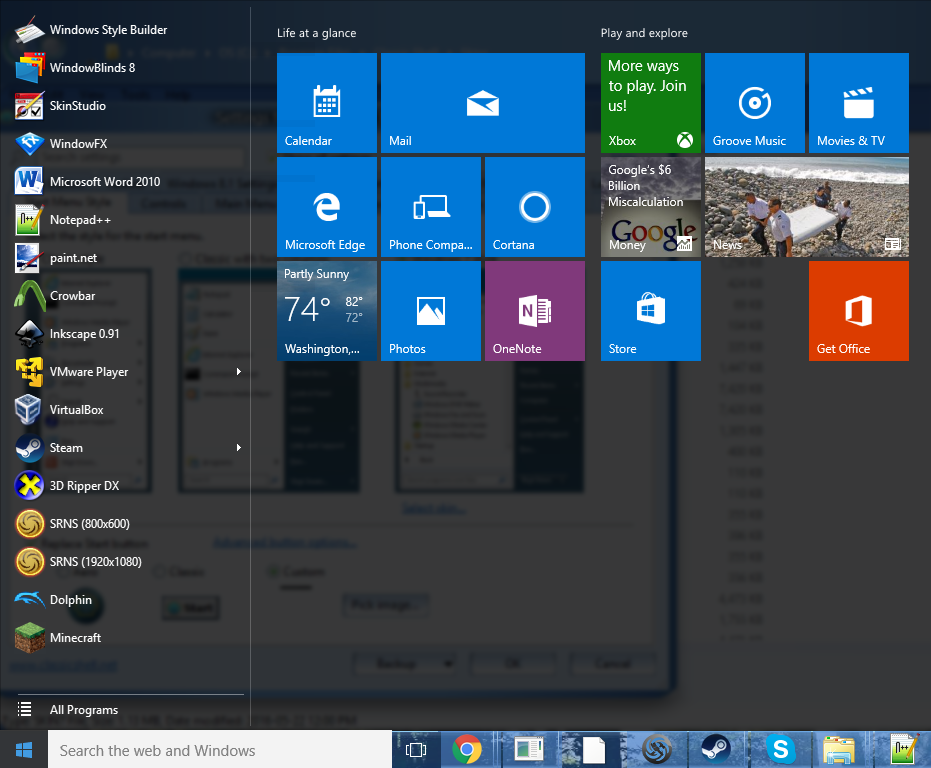
...what am I doing with my life?  |
|
|
Forum: Feature Requests Topic: Non-cascading All Programs menu in single-column style |
| Splitwirez |
|
Posted: Fri Aug 26, 2016 10:23 am
|
|
Replies: 5
Views: 2380
|
| The in-place programs list imposes certain requirements to the main menu, like for example the All Programs button has to be at the bottom. The Classic style lets you rearrange the items in any way you like, so that's not guaranteed. Just a thought...what if the "All Programs" button disa... |
|
|
Forum: Start Buttons Topic: "Sleek" Start Button |
| Splitwirez |
|
Posted: Sun Aug 21, 2016 6:33 am
|
|
Replies: 1
Views: 5358
|
| So I was looking through my Documents folder and happened to find an old Start Button I'd apparently nearly finished and then forgotten about entirely. It looked kinda nice, so I decided to finish it. Turns out it's pretty tiny, but maybe that's a good thing. Anywaves, here it is: http://i.imgur.com... |
|
|
Forum: Start Menu Skins Topic: Starcraft Zerg - Skin |
| Splitwirez |
|
Posted: Sun Aug 21, 2016 6:29 am
|
|
Replies: 50
Views: 40009
|
Here's another idea...what if you stuck a Zerg Cocoon in here:
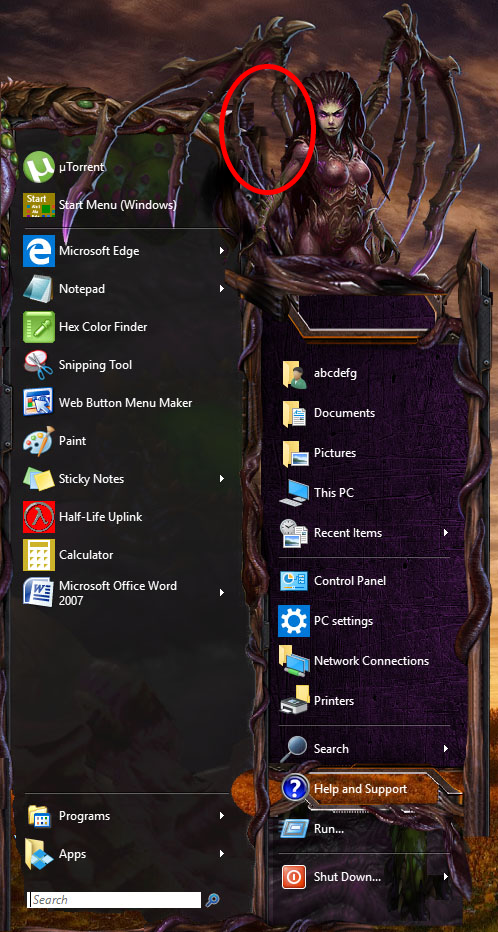
or somewhere when the user image was enabled, and have the user image be mostly-visible through the translucent green membrane? |
|
|
Forum: Feature Requests Topic: Would like option to disable "thing" in explorer |
| Splitwirez |
|
Posted: Sun Aug 21, 2016 6:23 am
|
|
Replies: 2
Views: 1480
|
| It's called the Command Bar. It can't be removed easily without patching Explorer. You can either have it or have the Ribbon which you seem to have disabled using some tool. OldNewExplorer, most likely. Amusingly, OldNewExplorer's custom DLLs actually hold the key :lol: IIRC one can remove the comm... |
|
|
Forum: Start Menu Skins Topic: Starcraft Zerg - Skin |
| Splitwirez |
|
Posted: Sat Aug 20, 2016 3:39 am
|
|
Replies: 50
Views: 40009
|
|
|
Forum: Taskbar Skins Topic: How do I make a taskbar skin? |
| Splitwirez |
|
Posted: Thu Aug 18, 2016 3:30 pm
|
|
Replies: 5
Views: 4048
|
|
|
Forum: Chitchat Topic: Help with taskbar colors |
| Splitwirez |
|
Posted: Thu Aug 18, 2016 12:06 pm
|
|
Replies: 6
Views: 3166
|
|
|
Forum: Chitchat Topic: Help with taskbar colors |
| Splitwirez |
|
Posted: Thu Aug 18, 2016 11:16 am
|
|
Replies: 6
Views: 3166
|
| Currently you can't. Hopefully that will be supported eventually... |
|
|
Forum: Chitchat Topic: Show your desktop and Classic Shell Start Menu |
| Splitwirez |
|
Posted: Tue Aug 16, 2016 9:08 am
|
|
Replies: 135
Views: 97749
|
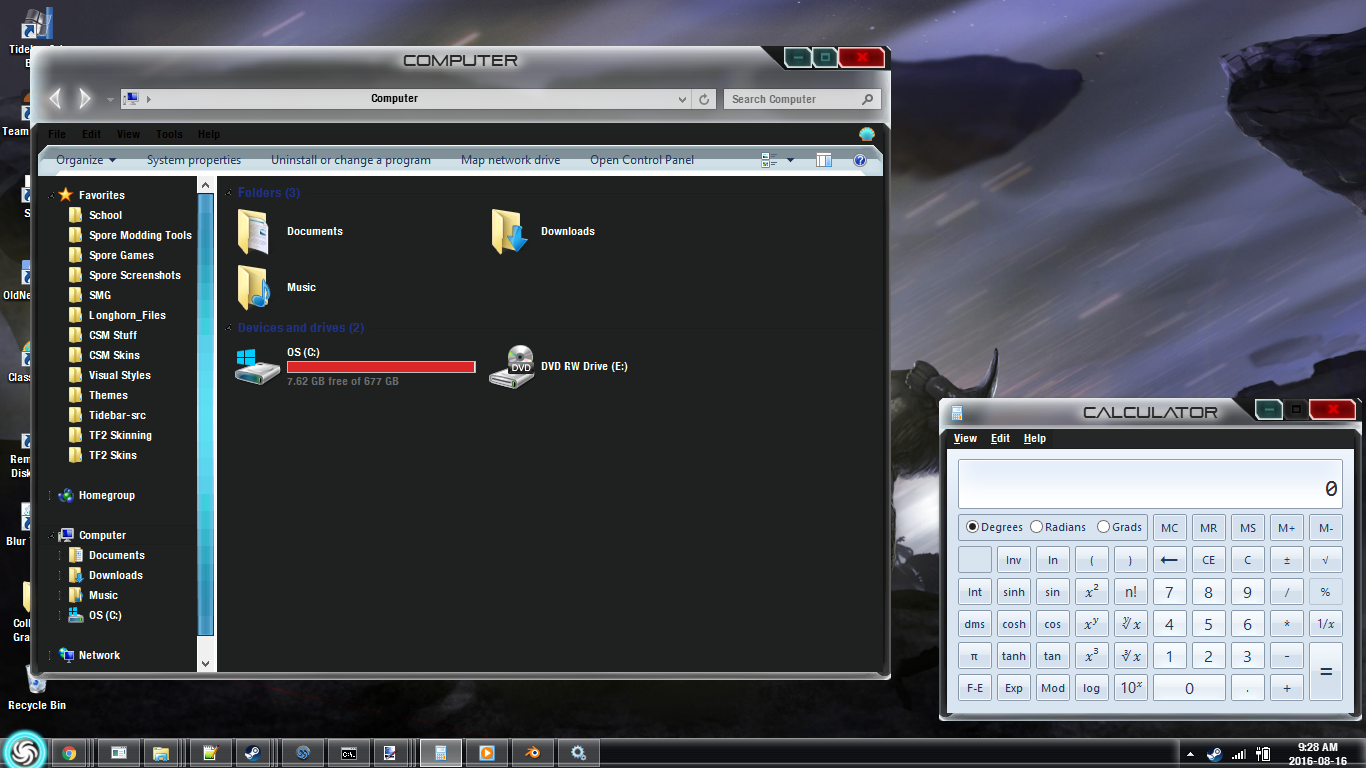
Progress amirite |
|
|
Forum: Chitchat Topic: Taskbar / Window Border / Transparency |
| Splitwirez |
|
Posted: Tue Aug 16, 2016 9:07 am
|
|
Replies: 3
Views: 1995
|
Lebowsky wrote: I had missed that setting. That was much easier than expected  thanks!
No problem ^-^ |
|
|
Forum: Taskbar Skins Topic: Darkspore Taskbar |
| Splitwirez |
|
Posted: Tue Aug 16, 2016 9:07 am
|
|
Replies: 0
Views: 3537
|

There's the Taskbar. Pulled from a WIP Visual Style I'm working on:
(Titlebars, buttons, etc. not currently released) |
|
|
Forum: Taskbar Skins Topic: New taskbar options |
| Splitwirez |
|
Posted: Tue Aug 16, 2016 9:04 am
|
|
Replies: 105
Views: 82286
|
SketchAnimations2 wrote: How in the heck did you change the title bar?! 
A custom Visual Style |
|
|
Forum: Taskbar Skins Topic: New taskbar options |
| Splitwirez |
|
Posted: Tue Aug 16, 2016 5:00 am
|
|
Replies: 105
Views: 82286
|
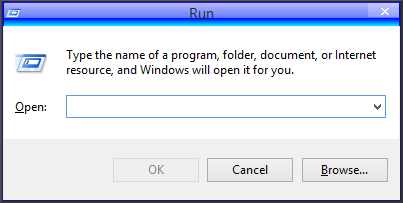
juniper7 wrote:
|
|
|
Forum: Chitchat Topic: Taskbar / Window Border / Transparency |
| Splitwirez |
|
Posted: Tue Aug 16, 2016 4:05 am
|
|
Replies: 3
Views: 1995
|
| Yes, the latest version of Classic Shell has a feature to override the Taskbar colour and image. It's a bit fiddly, but it should do the job. |
|
|
Forum: Start Menu Skins Topic: Xp luna 7skin |
| Splitwirez |
|
Posted: Mon Aug 15, 2016 4:04 am
|
|
Replies: 27
Views: 10675
|
So juniper7 was like
juniper7 wrote: And now, it is time to give up.
and then I was like
Splitwirez's brain wrote:
but then Shia LaBeouf was like
Shia LaBeouf wrote:
and then an hour later I was like
Splitwirez wrote: |
|
|
Forum: Start Menu Skins Topic: Xp luna 7skin |
| Splitwirez |
|
Posted: Sun Aug 14, 2016 8:36 am
|
|
Replies: 27
Views: 10675
|
| I know. I was just asking if it was possible to use a mask to control where metro colours appear as overlays onto the bitmap, since prior to this I had only seen such masks used for Glass colour. You can mix a bitmap and up to 3 Metro colors using the tints. Take a look at some examples in the Metr... |
|
|
Forum: Start Menu Skins Topic: Xp luna 7skin |
| Splitwirez |
|
Posted: Sun Aug 14, 2016 7:25 am
|
|
Replies: 27
Views: 10675
|
| Well, a mask can use a Metro color, but that would not make much sense because the masks are not really colors. The RGB channels have a different meaning. I know. I was just asking if it was possible to use a mask to control where metro colours appear as overlays onto the bitmap, since prior to thi... |
|
|
Forum: Start Menu Skins Topic: Xp luna 7skin |
| Splitwirez |
|
Posted: Sun Aug 14, 2016 6:53 am
|
|
Replies: 27
Views: 10675
|
| Already making progress. I should have a screeny or something soon. Anyone want optional glass colour? :lol: (Actually, speaking of colour...is it possible to use metro colours in masks for bitmaps? And can it be done in an optional manner which allows the skin to function on Windows 7 so long as it... |
|
|
Forum: Start Menu Skins Topic: Xp luna 7skin |
| Splitwirez |
|
Posted: Sat Aug 13, 2016 3:48 pm
|
|
Replies: 27
Views: 10675
|
I've been meaning to do this for a while now. I guess I finally have a reason.
It'll be done soon. |
|
|
Forum: Start Buttons Topic: Where is the default Windows 10 start menu icon? |
| Splitwirez |
|
Posted: Fri Aug 12, 2016 11:38 am
|
|
Replies: 2
Views: 3105
|
| If my memory serves me, it's in the Visual Style. |
|
|
Forum: Feature Requests Topic: Remove Borders from Start Menu and Search by Default |
| Splitwirez |
|
Posted: Sun Aug 07, 2016 5:25 am
|
|
Replies: 2
Views: 1179
|
Adding to what Guarav said regarding the borders on the menu, one of the stock skins (Metro) has no borders. You might like it.
If not, just post a mockup of what you want and I'll be happy to try to make it happen ^-^ |
|
|
Forum: Chitchat Topic: Does Classic Shell have issues with Win10 Anniversary Update |
| Splitwirez |
|
Posted: Thu Aug 04, 2016 4:12 pm
|
|
Replies: 4
Views: 1912
|
| If you install the Anniversary Update, you will need to use Classic Shell 4.3.0. It was released 5 days ago, and so far nobody has reported any issues with it. And I mean, nobody has reported issues with the real installer. The hacked version that was circulating on Tuesday is another matter. Just ... |
|
|
Forum: Hack hotline Topic: The Classic Shell software got hacked [Aug 2 2016] |
| Splitwirez |
|
Posted: Thu Aug 04, 2016 4:07 pm
|
|
Replies: 46
Views: 149783
|
| Yes, your file is fine, and I recommend you install it. There are some fixes and new skin features. ...err...yeah, if I can get myself to do so without worrying like crazy afterwards. Honestly I trust everything you say, but that doesn't make a darned bit of difference to how scared I was and still... |
|
|
Forum: Chitchat Topic: Does Classic Shell have issues with Win10 Anniversary Update |
| Splitwirez |
|
Posted: Thu Aug 04, 2016 3:48 pm
|
|
Replies: 4
Views: 1912
|
| Title says it all. My Dad has been using Classic Shell as of recently, and he also upgraded to Windows 10. However, I noticed a few thread titles suggesting the Anniversary Update may cause issues with Classic Shell. Should I have him uninstall it for the time being? |
|
|
Forum: Hack hotline Topic: The Classic Shell software got hacked [Aug 2 2016] |
| Splitwirez |
|
Posted: Thu Aug 04, 2016 3:39 pm
|
|
Replies: 46
Views: 149783
|
| Well, no, you can't skip the update if you already ran the installer... If you are infected, the next reboot will fail. If you are not that confident everything is OK, I would back up the important files to an external drive, cloud, or whatever, and then do a test restart. I'm pretty sure I didn't ... |
|
|
Forum: Hack hotline Topic: The Classic Shell software got hacked [Aug 2 2016] |
| Splitwirez |
|
Posted: Thu Aug 04, 2016 10:07 am
|
|
Replies: 46
Views: 149783
|
| @Splitwirez, while there is no quick way to see if the MBR is infected, you can open boot.wim from \sources folder of your Windows Setup disk and extract bootrec.exe from C:\Windows\system32 inside boot.wim to your current Windows installation. Then run bootrec.exe /fixmbr from within Windows. ...k... |
|
|
Forum: Hack hotline Topic: The Classic Shell software got hacked [Aug 2 2016] |
| Splitwirez |
|
Posted: Thu Aug 04, 2016 7:08 am
|
|
Replies: 46
Views: 149783
|
| no it doesn't instantly BSOD when you delete/change the MBR; it waits till you restart your pc... I gathered that much. as far as knowing if you were hit before restarting. you might be able to find out by running msconfig (just type msconfig into the start menu) and checking the boot tab. I would ... |
|
|
Forum: Hack hotline Topic: The Classic Shell software got hacked [Aug 2 2016] |
| Splitwirez |
|
Posted: Thu Aug 04, 2016 5:33 am
|
|
Replies: 46
Views: 149783
|
| @Splitwirez If Windows boots then nothing happened to you...if don't need to be afraid for restarting fixing it is pretty easy. (and I wouldn't wonder if there would be an instant BSOD after the MBR is overwritten but I'm not sure of that) And if you want no risk to get modified software: check if ... |
|
|
Forum: Hack hotline Topic: The Classic Shell software got hacked [Aug 2 2016] |
| Splitwirez |
|
Posted: Thu Aug 04, 2016 3:50 am
|
|
Replies: 46
Views: 149783
|
| Is there any way to find out if the MBR is toast or not without restarting? I'm 99% sure I wasn't hit, but due to being slightly paranoid, it'd be nice to have some solid proof...is that possible? ._. EDIT: I don't mean the installer, I mean what I've actually installed. I...may or may not have fran... |
|
|
Forum: Start Menu Skins Topic: Starcraft Zerg - Skin |
| Splitwirez |
|
Posted: Sun Jul 31, 2016 1:02 pm
|
|
Replies: 50
Views: 40009
|
whiskey_river wrote: just dropped by and wanted to say you guys are doing inspirational work. i've heard skins are possible for the desktop … but never thought it would go to this extreme. you guys are writing whole new chapter. well done … and gotta' say love that goth-queen or bat-queen.
Queen of Blades -_- |
|
|
Forum: Feature Requests Topic: Start menu fade/slide out animation |
| Splitwirez |
|
Posted: Mon Jul 25, 2016 6:34 am
|
|
Replies: 5
Views: 1970
|
Yeah, the animation out would likely best be optional.
Adding onto this whole idea...how about an option to fade AND slide in either direction? Seems logical, given that Windows 10 does just that...let me guess, not worth the time and effort given the nonexistent impact on usability? >.> |
|
|
Forum: Feature Requests Topic: Start menu fade/slide out animation |
| Splitwirez |
|
Posted: Sun Jul 24, 2016 10:29 am
|
|
Replies: 5
Views: 1970
|
| Actually yeah, that's a really good idea. It'd be nice to see it added... >.> |
|
|
Forum: Start Menu Skins Topic: XP Classic Retro |
| Splitwirez |
|
Posted: Sun Jul 24, 2016 10:29 am
|
|
Replies: 94
Views: 67933
|
| Here is that weirdo skin. One day late. Was busy doing other things. Better late than never :lol: ONLY WORKS ON WINDOWS 10. False, the transparency effect seems to work more or less fine on Windows 8.1 with Aeroglass 8.1+ (Masks are kind of a mess, though) ._. HAVE TO ENABLE GLASS, OR SELECTOR'S TE... |
|
|
Forum: Start Menu Skins Topic: XP Classic Retro |
| Splitwirez |
|
Posted: Fri Jul 22, 2016 4:41 pm
|
|
Replies: 94
Views: 67933
|
| I will look for that skin version later tonight when I get back. :OD I'm sure I saved somewhere on a backup drive. I may have overwritten it. D: If I can't find it, I'll just remake a simpler one for you to experiment with. :D Picture looks like Win8, so Big Muscle blur was involved. Oh... It could... |
|
|
Forum: Taskbar Skins Topic: New taskbar options |
| Splitwirez |
|
Posted: Fri Jul 22, 2016 5:07 am
|
|
Replies: 105
Views: 82286
|
Wkay wrote: How can I use the 4 "Build 7601 SP1" ones?
Same as any other Taskbar image .-.
(Just use the one which corresponds to the correct side of the screen) |
|
|
Forum: Start Menu Skins Topic: Start Menu and Taskbar Image request |
| Splitwirez |
|
Posted: Wed Jul 20, 2016 3:27 pm
|
|
Replies: 7
Views: 3539
|
JoshuaL2 wrote: Splitwirez wrote: JoshuaL2 wrote: Sweet! thanks!  k done Let me know how that works :V Awesome! It looks great! Thank you so much!
Glad you like it ^-^ |
|
|
Forum: Start Menu Skins Topic: XP Classic Retro |
| Splitwirez |
|
Posted: Wed Jul 20, 2016 3:26 pm
|
|
Replies: 94
Views: 67933
|
I apologize for the necro/bump/whatever, but I just had to ask...
HOW!? DOES ANYONE REMEMBER?? O.O |
|
|
Forum: Start Menu Skins Topic: Start Menu and Taskbar Image request |
| Splitwirez |
|
Posted: Wed Jul 20, 2016 12:49 pm
|
|
Replies: 7
Views: 3539
|
JoshuaL2 wrote: Sweet! thanks!
k done
Let me know how that works :V |
|
|
Forum: Start Menu Skins Topic: Start Menu and Taskbar Image request |
| Splitwirez |
|
Posted: Wed Jul 20, 2016 7:46 am
|
|
Replies: 7
Views: 3539
|
JoshuaL2 wrote: Splitwirez wrote: Sure thing...are you okay with a Windows 7 style menu? Also do you use a small or large Taskbar? a 7 style menu will work fine, and I normally use a small taskbar.
Alright, I've got the Taskbar and Start Button done. I'll give them all to you once the Start Menu is ready. |
|
|
Forum: Chitchat Topic: Show your desktop and Classic Shell Start Menu |
| Splitwirez |
|
Posted: Wed Jul 20, 2016 7:45 am
|
|
Replies: 135
Views: 97749
|
| very nice! can you please link the media player skin you have on your taskbar? That's the default Windows Media Player skin. hmmmmm... i don't seem to have that one. mine are all just fancier windows. i don't have one like that one. That's because you need to copy over a DLL from Windows Media Play... |
|
|
Forum: Feature Requests Topic: Classic XP style in Win10 TH2? |
| Splitwirez |
|
Posted: Wed Jul 20, 2016 4:07 am
|
|
Replies: 7
Views: 2742
|
|
|
Forum: Chitchat Topic: Show your desktop and Classic Shell Start Menu |
| Splitwirez |
|
Posted: Wed Jul 20, 2016 3:41 am
|
|
Replies: 135
Views: 97749
|
JoshuaL2 wrote: very nice! can you please link the media player skin you have on your taskbar?
That's the default Windows Media Player skin. |
|
|
Forum: Taskbar Skins Topic: New taskbar options |
| Splitwirez |
|
Posted: Tue Jul 19, 2016 4:25 am
|
|
Replies: 105
Views: 82286
|
| It ca be done with AeroGlassGUI, but you need the AeroGlass mod for that [both can be gained from glass8.eu] Just gotta be sure to get the version that is right for your O.S. The one for 8.1+ works on 8.1 - 10 v1511. There is a dwm window that pops up on startup claiming it couldn't hook your versi... |
|
|
Forum: Start Menu Skins Topic: Start Menu and Taskbar Image request |
| Splitwirez |
|
Posted: Tue Jul 19, 2016 4:11 am
|
|
Replies: 7
Views: 3539
|
| Sure thing...are you okay with a Windows 7 style menu? Also do you use a small or large Taskbar? |
|
|
Forum: Taskbar Skins Topic: New taskbar options |
| Splitwirez |
|
Posted: Sun Jul 17, 2016 4:15 pm
|
|
Replies: 105
Views: 82286
|
juniper7 wrote: I know you know, but I don't know what they call it.
Diagonal shine bars or something.
You could make a Win7 taskbar with it.
Original quality images are in the resources Win7 folder.
OH, THE REFLECTION!! |
|
|
Forum: Taskbar Skins Topic: New taskbar options |
| Splitwirez |
|
Posted: Sun Jul 17, 2016 3:43 pm
|
|
Replies: 105
Views: 82286
|
| I think the only way to get exact Win7 look is to take a screen shot, and edit out the icons and text. That would only work just for one color. The taskbar does not function same way as a menu skin. Because there is no additional user glass color mask, looks like Ivo made it to have png alpha at 0/... |
|
|
Forum: Chitchat Topic: Show your desktop and Classic Shell Start Menu |
| Splitwirez |
|
Posted: Sun Jul 17, 2016 6:54 am
|
|
Replies: 135
Views: 97749
|
|
|
| Sort by: |

 Login
Login Register
 FAQ
FAQ Search
 Members