| Author |
Message |
Forum: Start Menu Skins Topic: Windows 10 style |
| Splitwirez |
|
Posted: Sun Mar 13, 2016 7:02 pm
|
|
Replies: 15
Views: 7339
|
Ivo wrote: Sure, but that's simply the Windows' own menu.
No it isn't...I've seen skins of it which are clearly not Windows 10 (e.g. that Alienware-style stuff ._. )... |
|
 |
Forum: Start Menu Skins Topic: Windows 10 style |
| Splitwirez |
|
Posted: Sun Mar 13, 2016 6:46 pm
|
|
Replies: 15
Views: 7339
|
Ivo wrote: I don't think Start10 has live tiles. It has an option to show the native Windows menu, but so does Classic Shell.
Well according to the page for it on the official Stardock website, there is a "Windows 10 Style", which shows...tiles ._. |
|
|
Forum: Start Buttons Topic: [Animated Start Button] Spore Rotate & Spore Rotate Tinted |
| Splitwirez |
|
Posted: Sun Mar 13, 2016 6:23 pm
|
|
Replies: 7
Views: 4428
|
| The last one got mutated by Spore. :lol: What It's tame compared to what the creatures look like in game, or someone's avatar, (Splitz) ??? D: EDIT: Also, background information: The unmodded game does not permit what is shown in my avatar. I used a number of mods to do that (all of which were atle... |
|
|
Forum: Start Menu Skins Topic: Windows 10 style |
| Splitwirez |
|
Posted: Sun Mar 13, 2016 6:18 pm
|
|
Replies: 15
Views: 7339
|
| I don't think so. I have not seen a Stardock menu that has live tiles. The only thing close was when they were showing the start screen in a window. That's all that was - the original Windows start screen but reduced in size. Um...Start10. That's literally the only thing I need to mention to prove ... |
|
|
Forum: Start Menu Skins Topic: Windows 10 style |
| Splitwirez |
|
Posted: Sun Mar 13, 2016 2:32 pm
|
|
Replies: 15
Views: 7339
|
Ivo wrote: What did Stardock pull off? Live Tiles? 
Yeah... ._. |
|
|
Forum: Start Menu Skins Topic: Windows 10 style |
| Splitwirez |
|
Posted: Sun Mar 13, 2016 1:36 pm
|
|
Replies: 15
Views: 7339
|
| They also don't provide an option to disable the ribbon in Explorer and revert to the Windows Vista/7-style command bar. That happened regardless, so there you go :V That happened because when a few bytes of the Ribbon DLL are patched on disk or on memory, Explorer automatically falls back to the W... |
|
|
Forum: Start Buttons Topic: Windows XP Beta Flag Animation Start Button |
| Splitwirez |
|
Posted: Sat Mar 12, 2016 9:33 am
|
|
Replies: 11
Views: 9059
|
Sketch Animations wrote: Awesome!
:OD |
|
|
Forum: Start Buttons Topic: Undertale video game characters Start buttons |
| Splitwirez |
|
Posted: Fri Mar 11, 2016 1:19 pm
|
|
Replies: 3
Views: 3898
|
Vorbis wrote: why is undertale everywhere
Because it's a really popular game, perhaps? ._._. |
|
|
Forum: Start Buttons Topic: Windows XP Beta Flag Animation Start Button |
| Splitwirez |
|
Posted: Fri Mar 11, 2016 6:28 am
|
|
Replies: 11
Views: 9059
|
Gaurav wrote: I wanted this as a Start button!!! Splitwirez you are awesome!! Thank you.
:D
Guarav wrote: I wish I DIDN'T have a high DPI screen! Most Start buttons including this one look pixelated at 1080p. I was perfectly happy with 1280 x 800 until my old PC broke.
D: |
|
|
Forum: Start Buttons Topic: Windows XP Beta Flag Animation Start Button |
| Splitwirez |
|
Posted: Thu Mar 10, 2016 4:55 pm
|
|
Replies: 11
Views: 9059
|
juniper7 wrote: You beat me to it, Splitwirez. I had that image in the "to do folder". I'll delete it now. I could not figure that frame limit. Is it 255 total, or just for each row?
Eh...you can have a maximum of 255 frames. Total. Including the normal and pressed states. |
|
|
Forum: Feature Requests Topic: Windows 10 Taskbar skinning workaround? |
| Splitwirez |
|
Posted: Thu Mar 10, 2016 10:13 am
|
|
Replies: 20
Views: 7590
|
| The taskbar being transparent is the only possible option (that i know) atm. It still looks cool! And yes I've realised that I did use Royale's start button. It just looks better to me. And yes I had Windows XP. The royale theme was always my fav. :3 k...so why didn't you use the Royale taskbar as ... |
|
|
Forum: Start Buttons Topic: Windows XP Beta Flag Animation Start Button |
| Splitwirez |
|
Posted: Thu Mar 10, 2016 10:04 am
|
|
Replies: 11
Views: 9059
|
| Not sure if anyone here knows this, but in some later beta builds of Windows XP, the flag logo on the login screen was actually animated. After accidentally stumbling upon the original image for that animation, I decided to turn it into an animated Start Button. I made 2 versions, one with the origi... |
|
|
Forum: Start Menu Skins Topic: Dark Injection 9.r Start Menu |
| Splitwirez |
|
Posted: Fri Mar 04, 2016 1:27 pm
|
|
Replies: 82
Views: 41569
|
Jcee wrote: From what I read, (did a bit of research after the post); The main game is alive and well..
I can confirm that :V
Indeed, Spore's modding community is so alive and well, I've been able to preserve a lot of Darkspore in Spore: Dark Injection 9.r teaser thingy for some reason  |
|
|
Forum: Start Menu Skins Topic: Windows 10 style |
| Splitwirez |
|
Posted: Thu Mar 03, 2016 12:02 pm
|
|
Replies: 15
Views: 7339
|
| Microsoft has kept Live Tiles exclusive to their Start Menu and does not allow third party developers to incorporate Tiles into their Start Menus. They also don't provide an option to disable the ribbon in Explorer and revert to the Windows Vista/7-style command bar. That happened regardless, so th... |
|
|
Forum: Start Menu Skins Topic: Dark Injection 9.r Start Menu |
| Splitwirez |
|
Posted: Thu Mar 03, 2016 12:00 pm
|
|
Replies: 82
Views: 41569
|
| Sorry, but I figured I may as well announce that Darkspore itself was shut down a few days ago (March 1st). This is why online only needs to go die in a hole T__T |
|
|
Forum: Start Menu Skins Topic: Windows Vista Start Menu Skin |
| Splitwirez |
|
Posted: Mon Feb 22, 2016 7:51 pm
|
|
Replies: 74
Views: 54763
|
| Yes, congratulations OneSerendipity. And I sincerely apologize for this, but as I was reading up on what I'd missed while AWOL, only 1/6 of my brain was actually interpreting the words. I basically got "buttons....wedding...start...skin...menu..." and the first thing that came to mind was ... |
|
|
Forum: Feature Requests Topic: Dynamic multi-dimensional scrolling in explorer |
| Splitwirez |
|
Posted: Wed Feb 17, 2016 4:01 am
|
|
Replies: 4
Views: 2147
|
Gaurav wrote: I find the XP way better in fact since it gives you manual control. In Vista's automatic scrolling, you didn't even see the horizontal scrollbar and had to rely on precise hover movements to get it to scroll horizontally.
Well then why not have an option to enable either method or both? |
|
|
Forum: Feature Requests Topic: Dynamic multi-dimensional scrolling in explorer |
| Splitwirez |
|
Posted: Tue Feb 16, 2016 6:44 pm
|
|
Replies: 4
Views: 2147
|
| OH MY GOD SO MUCH YES PLEASE DO THIS |
|
|
Forum: Start Menu Skins Topic: can you help me to change a start menu transparancy ? |
| Splitwirez |
|
Posted: Tue Feb 16, 2016 10:44 am
|
|
Replies: 6
Views: 3423
|
| You have to save the BMPs as 32-bit BMPs with Transparency. |
|
|
Forum: Start Menu Skins Topic: Windows Vista Start Menu Skin |
| Splitwirez |
|
Posted: Sat Feb 13, 2016 9:23 pm
|
|
Replies: 74
Views: 54763
|
| I feel like my name shouldn't even be credited for this. I mean, what have I actually contributed to it? >.< |
|
|
Forum: Feature Requests Topic: Windows 10 Taskbar skinning workaround? |
| Splitwirez |
|
Posted: Sat Feb 06, 2016 11:21 pm
|
|
Replies: 20
Views: 7590
|
| Quite a neat idea. Everything on the taskbar will still work. Which reminds me of the opposite. Crazy people at work, putting a screen shot of the bosses desktop on the desktop, and turning on autohide taskbar. That's where nothing on the taskbar works, cause the real one is not showing :lol: Bette... |
|
|
Forum: Start Menu Skins Topic: Windows Vista Start Menu Skin |
| Splitwirez |
|
Posted: Mon Feb 01, 2016 10:50 am
|
|
Replies: 74
Views: 54763
|
Ivo wrote: You can use "font=none" if you want no text. Then play with the icon padding to achieve the desired size of the button.
Oh, really??
Good to know :OD |
|
|
Forum: Start Menu Skins Topic: Windows Vista Start Menu Skin |
| Splitwirez |
|
Posted: Mon Feb 01, 2016 6:17 am
|
|
Replies: 74
Views: 54763
|
| Hello OneSerendipity . Something odd. On your button the black dot is lower, and can be seen. Mine is right on the black line. Maybe shutdown text padding needs to increase by 1 pixel. Maybe some keystroke changes position ? Dunno why? Anyway, I'm going to call it quits for today. Just going in cir... |
|
|
Forum: Start Menu Skins Topic: Windows Vista Start Menu Skin |
| Splitwirez |
|
Posted: Sun Jan 31, 2016 12:50 pm
|
|
Replies: 74
Views: 54763
|
| Now, I wonder... will be able to get those buttons to function as they show themselves, or we will be stuck in just one? I mean, will we ever be able to change the shutdown button function, but change the button bitmap too that corresponds to the function at the same time, without having to change ... |
|
|
Forum: Start Buttons Topic: High Heels Start Buttons |
| Splitwirez |
|
Posted: Sun Jan 31, 2016 12:49 pm
|
|
Replies: 4
Views: 3465
|
I feel like this button would work better if the shoes had an animation for rotating when hovered over...
...which I guess would be more doable using a 3D Model of a shoe than actual photos |
|
|
Forum: Start Menu Skins Topic: Windows Vista Start Menu Skin |
| Splitwirez |
|
Posted: Sun Jan 31, 2016 8:12 am
|
|
Replies: 74
Views: 54763
|
| Hi OneSerendipity. "Collaborate" is the better word to use, yes. Splitwirez probably has the original glass buttons. I deleted all that stuff. From what I recall, all the menu parts, like picture frame were not in the msstyles file. Parts were scattered in other dlls in system. Tiny scrol... |
|
|
Forum: Start Menu Skins Topic: Windows Vista Start Menu Skin |
| Splitwirez |
|
Posted: Sun Jan 31, 2016 7:10 am
|
|
Replies: 74
Views: 54763
|
| -snip- I think I have a Vista install disk lying around somewhere. Been debating installing it on one of my spare craptops. Do you have a Vista install somewhere, or is this all from screenies? If you're using screenies, I can try to get you that userpic frame (if I can find it ;-; )... EDIT: WAIT ... |
|
|
Forum: Start Menu Skins Topic: Dark Injection 9.r Start Menu |
| Splitwirez |
|
Posted: Sat Jan 30, 2016 5:54 pm
|
|
Replies: 82
Views: 41569
|
juniper7 wrote: Well thanks Splitwirez, for making me play with the font size, as a joke. If it wasn't for you asking, I would never have played around with large, and small sizes. Think it could actually work.
...yay...? .___________. |
|
|
Forum: Start Menu Skins Topic: Windows Vista Start Menu Skin |
| Splitwirez |
|
Posted: Sat Jan 30, 2016 5:52 pm
|
|
Replies: 74
Views: 54763
|
| Hi OneSerendipity. I also put this in to get the button to expand right off the bat: Shutdown_text_padding=72,22,30,0,100% Shutdown_padding=0,9,0,4,100% Shutdown_font="Segoe UI",normal,-1 Shutdown_text_color=#000000,#000000 I was giving Splitwirez similar info too. Perhaps you can corrobo... |
|
|
Forum: Start Menu Skins Topic: Windows Vista Start Menu Skin |
| Splitwirez |
|
Posted: Sat Jan 30, 2016 2:05 pm
|
|
Replies: 74
Views: 54763
|
Oh geez, I literally just finished making my own Vista menu >.<
EDIT: Yeah, yours is definitely better ._. |
|
|
Forum: Start Menu Skins Topic: Dark Injection 9.r Start Menu |
| Splitwirez |
|
Posted: Sat Jan 30, 2016 5:25 am
|
|
Replies: 82
Views: 41569
|
juniper7 wrote: Hello Splitwirez .
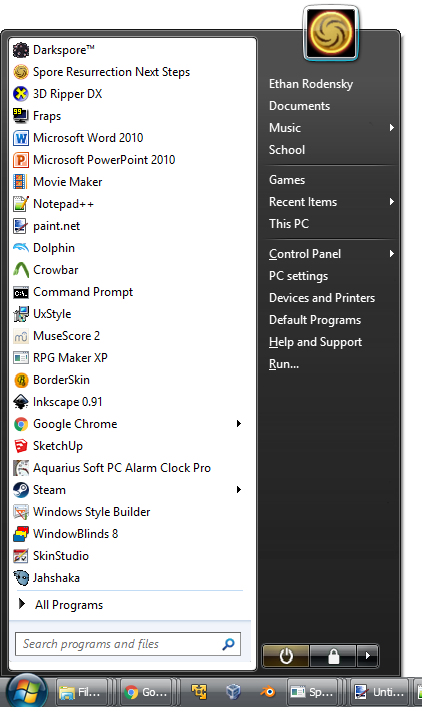
Which skin do you have in mind, to alter the position of P button?
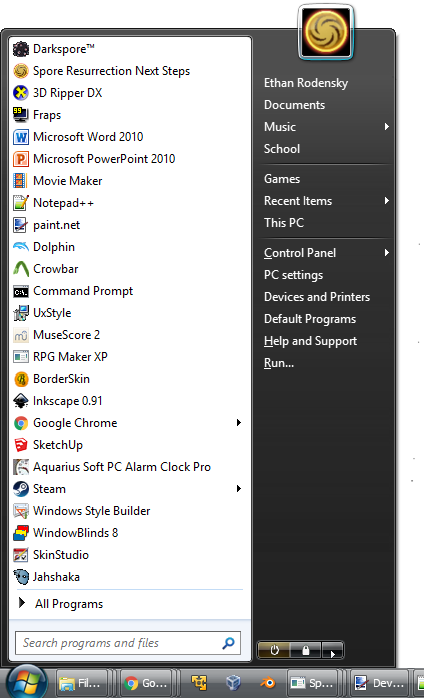
EDIT: FIXED:
:OD |
|
|
Forum: Start Menu Skins Topic: Dark Injection 9.r Start Menu |
| Splitwirez |
|
Posted: Fri Jan 29, 2016 11:37 am
|
|
Replies: 82
Views: 41569
|
| DarkSpore Pie4 (Classic 1 & 2 style) The soft edge gives it a bit of a soapstone carved look. Unzip it. Turn off menu shadow in CSM settings. Only has mild alpha transparency, no blur. Time for a skinning break. EDIT: I decided to add the giant user picture frame as option. So options are bare,... |
|
|
Forum: Feature Requests Topic: Taskbar Transparency Change on maximize |
| Splitwirez |
|
Posted: Mon Jan 25, 2016 11:55 am
|
|
Replies: 23
Views: 5613
|
| Those are two separate things. In one case you have the look of one program change according to its state. In the other, the piece you are changing (the taskbar) is in another process. The two solutions nothing in common. Oh...I thought detecting when the program's state changes was the obstacle, n... |
|
|
Forum: Feature Requests Topic: Taskbar Transparency Change on maximize |
| Splitwirez |
|
Posted: Mon Jan 25, 2016 10:33 am
|
|
Replies: 23
Views: 5613
|
| The taskbar is implemented by Explorer, so yes. I don't know what TT does, but it most likely injects itself into every application, which is totally unrelated to what is needed here. I know the taskbar is implemented by Explorer, I was referring to Classic Shell's proposed affect on it. TrueTransp... |
|
|
Forum: Start Menu Skins Topic: Is editing downloaded skins...okay...? |
| Splitwirez |
|
Posted: Mon Jan 25, 2016 9:26 am
|
|
Replies: 23
Views: 10289
|
| I think I might need some pointers xD I tried to edit a bitmap and the result was... a total failure xD Here's what I tried to do with bitmap 8, what RH showed when I replaced it, and then my resulting skin xD When I replaced it in RH, was I supposed to cut out the white part in the top corner or j... |
|
|
Forum: Feature Requests Topic: Taskbar Transparency Change on maximize |
| Splitwirez |
|
Posted: Mon Jan 25, 2016 9:24 am
|
|
Replies: 23
Views: 5613
|
| I've been following this thread from the sidelines. As Jcee pointed out, the main problem is detecting when a window is getting maximized. It gets more complicated once you add multiple monitors (and multiple taskbars) into the mix. Another possible complication is for programs running as admin - t... |
|
|
Forum: Start Menu Skins Topic: Is editing downloaded skins...okay...? |
| Splitwirez |
|
Posted: Mon Jan 25, 2016 4:38 am
|
|
Replies: 23
Views: 10289
|
juniper7 wrote: You need to cut the white part out, and copy the merged RGBalpha fom right side to left part of bitmap.
Actually, wouldn't stretching it over the left column look better? :V |
|
|
Forum: Feature Requests Topic: Taskbar Transparency Change on maximize |
| Splitwirez |
|
Posted: Mon Jan 25, 2016 12:20 am
|
|
Replies: 23
Views: 5613
|
|
|
Forum: Start Menu Skins Topic: Is editing downloaded skins...okay...? |
| Splitwirez |
|
Posted: Sun Jan 24, 2016 6:48 pm
|
|
Replies: 23
Views: 10289
|
| @juniper7 I'm looking at the skin's information in Resource Hacker, (also peeked at the Midnight skin's "Main_background" value to be sure I was looking at the right value, but not sure if that's what I'm looking for) but I don't know which value to change, as I've tried Main_opacity, Mai... |
|
|
Forum: Feature Requests Topic: Taskbar Transparency Change on maximize |
| Splitwirez |
|
Posted: Sun Jan 24, 2016 1:14 pm
|
|
Replies: 23
Views: 5613
|
| At-least on-the fly changing of the monitor transparency is feasible.. The only real hurdle would be detecting if a window is maximized or not. yeah, that's sorta what I was thinking with regards to the primary difficulty, but as I said, if it can be done within the scope of this program, I think i... |
|
|
Forum: Feature Requests Topic: Taskbar Transparency Change on maximize |
| Splitwirez |
|
Posted: Sun Jan 24, 2016 12:41 pm
|
|
Replies: 23
Views: 5613
|
| At-least on-the fly changing of the monitor transparency is feasible.. The only real hurdle would be detecting if a window is maximized or not. ...MONITOR transparency?? (What is that? ._. ) Well, I know some applications can do it (TrueTransparency can, and does so to switch skinned border types),... |
|
|
Forum: Feature Requests Topic: Taskbar Transparency Change on maximize |
| Splitwirez |
|
Posted: Sun Jan 24, 2016 12:12 pm
|
|
Replies: 23
Views: 5613
|
| I must admit, I had to do some research regarding windows longhorn (I'm a relatively young windows user, being born in 1998 puts windows longhorn a little before when I would have been using computers x) but that's some really valuable input, thank you! if anyone else looks through this thread, and... |
|
|
Forum: Feature Requests Topic: Taskbar Transparency Change on maximize |
| Splitwirez |
|
Posted: Sun Jan 24, 2016 9:59 am
|
|
Replies: 23
Views: 5613
|
| I'm really glad someone else feels as though it would be a worth while feature; having a transparent task bar is kind of silly without it if you ask me. I saw a similar thread, that had no real positive feedback (I would have posted in that thread, but I thought the original poster may have been re... |
|
|
Forum: Feature Requests Topic: Taskbar Transparency Change on maximize |
| Splitwirez |
|
Posted: Sun Jan 24, 2016 9:09 am
|
|
Replies: 23
Views: 5613
|
OH MY GOD YES
Honestly, I would LOVE to have this option...but for Windows 7 and 8 too. I mean, Vista had this behaviour... |
|
|
Forum: Start Menu Skins Topic: Is editing downloaded skins...okay...? |
| Splitwirez |
|
Posted: Sun Jan 24, 2016 9:07 am
|
|
Replies: 23
Views: 10289
|
| Random question...what's that Visual Style you're using? The taskbar intrigues me... |
|
|
Forum: Start Buttons Topic: Ultimate Windows Start Button |
| Splitwirez |
|
Posted: Sun Jan 24, 2016 6:29 am
|
|
Replies: 4
Views: 4424
|
Hm, well this is an interesting idea...
...here's my take on it:
 |
|
|
Forum: Start Buttons Topic: Having trouble with an animated button |
| Splitwirez |
|
Posted: Thu Jan 21, 2016 8:20 pm
|
|
Replies: 2
Views: 1859
|
| Hi Splitwirez. I did not look at the whole top pixel line, no time right now. but I can see that the two pixels at start are not the right colors. This happened to me a couple times, when I changed the tint/saturation of the whole image. I forgot about protecting the pixel line. So the Pixel 0 shou... |
|
|
Forum: Start Buttons Topic: Having trouble with an animated button |
| Splitwirez |
|
Posted: Thu Jan 21, 2016 8:51 am
|
|
Replies: 2
Views: 1859
|
| Okay, so I've been trying to make an animated button, and I can't seem to figure out what I'm doing wrong. It's supposed to have 8 frames, with the first used as the idle state, the last used as the pressed state, and the ones in between used as the hover animation, going in both directions. For som... |
|
|
Forum: Start Buttons Topic: Start button (XP classic one) with custom language |
| Splitwirez |
|
Posted: Mon Jan 11, 2016 12:42 pm
|
|
Replies: 7
Views: 3712
|
| I heard something like that from Africa. If a man asks for fish today, he will come back for more fish the next day. If you give him a boat, he will get all the fish he needs, and give some back to you. Sounds about right...unfortunately... :/ Alright, fine. If you folks want to shoot down my gener... |
|
|
Forum: Feature Requests Topic: Windows 10 Taskbar skinning workaround? |
| Splitwirez |
|
Posted: Fri Jan 08, 2016 10:24 am
|
|
Replies: 20
Views: 7590
|
| StartIsBack depends on third party visual styles to skin the Taskbar. Third party themes themselves require installing something like UxStyle to skin the rest of the OS so that's not the ideal solution. The way Start10 did it by letting the user specify a texture bitmap for the Taskbar and menu gla... |
|
|
| Sort by: |

 Login
Login Register
 FAQ
FAQ Search
 Members