| Author |
Message |
Forum: Start Buttons Topic: Vista Gel Orb or something |
| Splitwirez |
|
Posted: Sun Jul 17, 2016 5:39 am
|
|
Replies: 2
Views: 3213
|
JoshuaL2 wrote: very nice! i like the way these look. thanks for sharing them 
No problem ^-^
...took a while to get the shadow and glow right... ._______. |
|
 |
Forum: Start Buttons Topic: Vista Gel Orb or something |
| Splitwirez |
|
Posted: Sun Jul 17, 2016 5:36 am
|
|
Replies: 2
Views: 3213
|
|
|
Forum: Taskbar Skins Topic: New taskbar options |
| Splitwirez |
|
Posted: Sun Jul 17, 2016 4:19 am
|
|
Replies: 105
Views: 82286
|
| First person to give me a Windows 7 default background taskbar skin for my 1600 x 900 monitor wins a free chocolate chip cookie. screw the taskbar skin, im takin' that cookie *steals cookie* screw the cookie, im providin' those taskbar images *embeds taskbar images* BUILD 7601 SP1: http://i.imgur.c... |
|
|
Forum: Feature Requests Topic: Porting to Windows 98/Millenium |
| Splitwirez |
|
Posted: Fri Jul 15, 2016 3:12 am
|
|
Replies: 9
Views: 2867
|
| It would be steps towards working on those systems yes; however aside from xp none of the other mentioned Os's have a sizable market share.... and reactOS is quite unstable in its current form.. Well then that's that :lol: (What I'm really wondering about is if it'd be possible to inject Classic Sh... |
|
|
Forum: Feature Requests Topic: Porting to Windows 98/Millenium |
| Splitwirez |
|
Posted: Thu Jul 14, 2016 12:03 pm
|
|
Replies: 9
Views: 2867
|
| LOL what? :D :P You are kidding right? Classic Shell uses too many APIs and functions present only in Windows 7 and later to be ported to older versions of Windows. Luckily for you, Windows 7/8.1 can for the most part do everything that Windows 9x/Me did. :P I apologize for asking this, but wouldn'... |
|
|
Forum: Start Buttons Topic: How to extract the xp start button image from Windows XP? |
| Splitwirez |
|
Posted: Wed Jul 13, 2016 7:47 am
|
|
Replies: 3
Views: 2268
|
luckiejacky wrote: Thank you so much, my buddy.
No problem ^-^
Hope it isn't buried too deep in that file... .__. |
|
|
Forum: Start Buttons Topic: How to extract the xp start button image from Windows XP? |
| Splitwirez |
|
Posted: Wed Jul 13, 2016 4:46 am
|
|
Replies: 3
Views: 2268
|
The image is language-independent....but you can find it somewhere in here:
C:\WINDOWS\Resources\Themes\Luna\Luna.msstyles |
|
|
Forum: Start Buttons Topic: Windows XP Start Button |
| Splitwirez |
|
Posted: Thu Jul 07, 2016 2:28 pm
|
|
Replies: 1
Views: 2055
|
|
|
Forum: Feature Requests Topic: CTRL+F to focus Start Menu search box? |
| Splitwirez |
|
Posted: Tue Jun 28, 2016 3:54 pm
|
|
Replies: 5
Views: 1555
|
Ivo wrote: That's actually a good idea.
Huh, so I'm not the only one... |
|
|
Forum: Feature Requests Topic: CTRL+F to focus Start Menu search box? |
| Splitwirez |
|
Posted: Tue Jun 28, 2016 9:51 am
|
|
Replies: 5
Views: 1555
|
| The closest your going to get is the on the 'show search box' setting set to 'access with tab' You could create an autohotkey script to convert ctrl+f to tab IF the conditions are right (the menu is in focus) however thats alot of work when you could just press tab in the first place :P I know. My ... |
|
|
Forum: Feature Requests Topic: CTRL+F to focus Start Menu search box? |
| Splitwirez |
|
Posted: Tue Jun 28, 2016 7:55 am
|
|
Replies: 5
Views: 1555
|
| Title says it all. Is this already possible? And if not, would it be worth the work to add? |
|
|
Forum: Chitchat Topic: Show your desktop and Classic Shell Start Menu |
| Splitwirez |
|
Posted: Sun Jun 26, 2016 2:05 pm
|
|
Replies: 135
Views: 97755
|
| Yea, looking at it a second time, it isnt quite as dark spore-ish as I thought :P I was just keeping with the neon blue idea, and figured if your going all out, you should have something on the desktop too :P Oh, okay. I might...but if I'm going to do anything with Rainmeter, it's going to be custo... |
|
|
Forum: Chitchat Topic: Show your desktop and Classic Shell Start Menu |
| Splitwirez |
|
Posted: Sun Jun 26, 2016 9:20 am
|
|
Replies: 135
Views: 97755
|
| Nice :) Thanks :3 This rainmeter skin might go nicely with your layout (or atleast somewhere to advertise your theme/skin if you wanted) http://jestjoy11.deviantart.com/art/Rainmeter-Hud-Digital-with-lightning-spark-284084510 Ehh...idk, doesn't really look like Darkspore to me. ...you remember that... |
|
|
Forum: Chitchat Topic: Show your desktop and Classic Shell Start Menu |
| Splitwirez |
|
Posted: Sat Jun 25, 2016 12:47 pm
|
|
Replies: 135
Views: 97755
|
| http://i.imgur.com/5MbkY6zl.png "I accidentally Darkspore my Windows 8.1" _____ -Splitwirez, regarding his recent inexplicable urge to Darkspore his Windows 8.1 Menu actually isn't mine, but the button and everything else is (except the Visual Style bits I haven't edited yet, but I just s... |
|
|
Forum: Chitchat Topic: My computer isn't working |
| Splitwirez |
|
Posted: Mon Jun 20, 2016 3:05 am
|
|
Replies: 16
Views: 5172
|
| Have you tried using a restore point (if you have one)? I know I had to do that after I accidentally Windows Style Builder the wrong way... |
|
|
Forum: Feature Requests Topic: Windows 10 Style? (Even with "dead" tiles? .-. ) |
| Splitwirez |
|
Posted: Thu Jun 16, 2016 7:39 am
|
|
Replies: 6
Views: 2022
|
| only with 'classic with 2 column' style go to the customize start menu tab Create a new command (custom works best) Then check the box 'Insert Sub-items as buttons' Then create new items and nest them under the command we created first, change icons and viola.. Also this feature has been around eve... |
|
|
Forum: Feature Requests Topic: Windows 10 Style? (Even with "dead" tiles? .-. ) |
| Splitwirez |
|
Posted: Thu Jun 16, 2016 5:06 am
|
|
Replies: 6
Views: 2022
|
| Wait...WAAAAAAAAAAAAT? How? |
|
|
Forum: Feature Requests Topic: Windows 10 Style? (Even with "dead" tiles? .-. ) |
| Splitwirez |
|
Posted: Thu Jun 16, 2016 3:38 am
|
|
Replies: 6
Views: 2022
|
| Will there ever be a Windows 10 Start Menu style? I understand why the live tiles could be an obstacle, but...I think a Windows 10 style with no live tiles is better than no Windows 10 style at all. Clearly you can get the icon, colour, and name of modern apps, so what more is needed for dead tiles?... |
|
|
Forum: Chitchat Topic: Show your desktop and Classic Shell Start Menu |
| Splitwirez |
|
Posted: Mon Jun 13, 2016 6:39 pm
|
|
Replies: 135
Views: 97755
|
| >Pin games to the right I actually thought about doing that the other day :P (below settings) But I already use rocketdock for all the games I actively play :P Oh. Well I did try rainmeter ( http://i.imgur.com/nUIhFAS.png ), but that just kept popping up whenever I needed it out of the way :lol: |
|
|
Forum: Taskbar Skins Topic: New taskbar options |
| Splitwirez |
|
Posted: Mon Jun 13, 2016 7:03 am
|
|
Replies: 105
Views: 82286
|
| Apologies for the double-post, but shouldn't these Taskbar skins have their own threads? |
|
|
Forum: Chitchat Topic: Show your desktop and Classic Shell Start Menu |
| Splitwirez |
|
Posted: Mon Jun 13, 2016 6:03 am
|
|
Replies: 135
Views: 97755
|
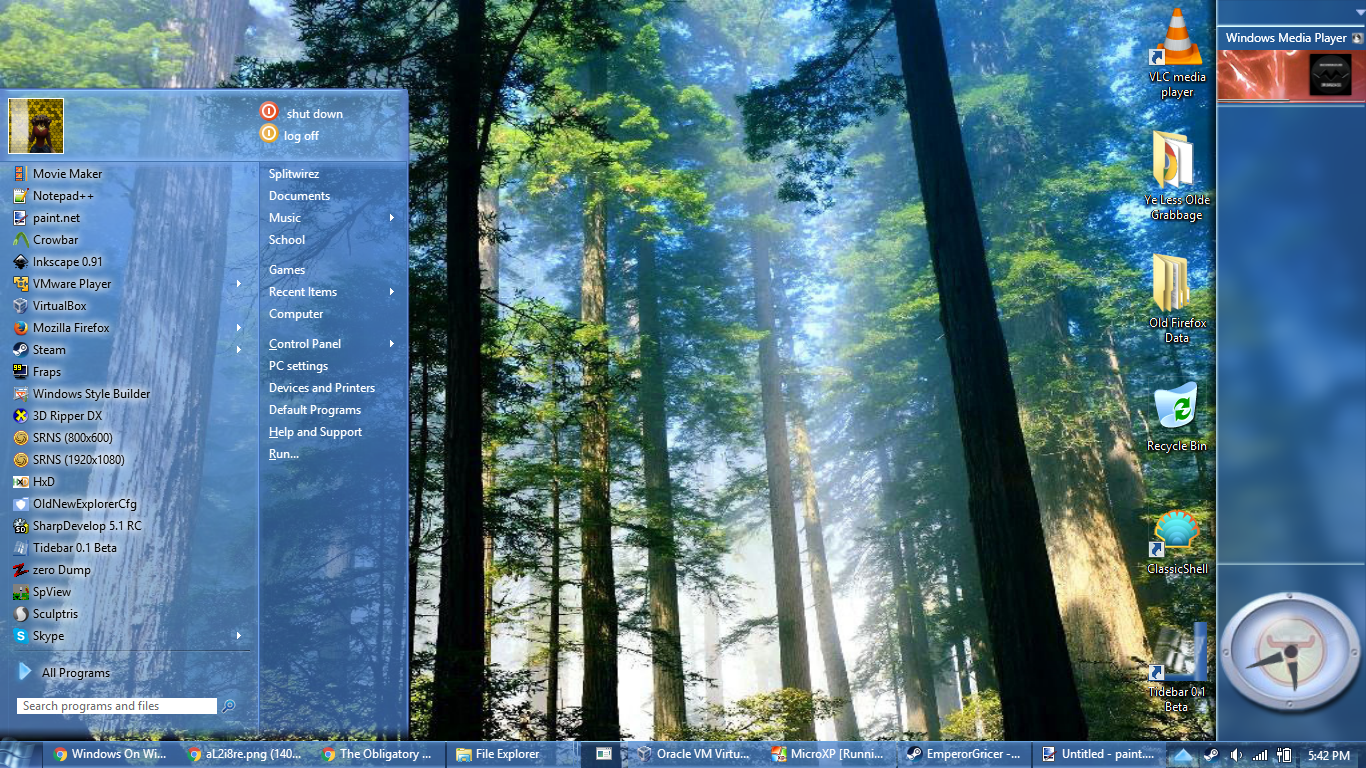
Here's my current desktop:

Real men pin their games to the RIGHT column of the Win7-style Start Menu 
(jk I'm not even a real man ;~; ) |
|
|
Forum: Taskbar Skins Topic: New taskbar options |
| Splitwirez |
|
Posted: Mon Jun 13, 2016 5:18 am
|
|
Replies: 105
Views: 82286
|
juniper7 wrote: Hmm
HOME | FORUM | FAQ | SCREENSHOTS | TRANSLATIONS | ALL DOWNLOADS
Lel |
|
|
Forum: Taskbar Skins Topic: New taskbar options |
| Splitwirez |
|
Posted: Sat Jun 11, 2016 9:34 am
|
|
Replies: 105
Views: 82286
|
| It would require a great deal of time for research. Time, I sadly don't have to spare at the moment. Oh. Well, we all really appreciate what you've done so far, and while obviously it would be nice to have button skinning available too, we understand and respect your reasoning ^-^ ...well, I do, at... |
|
|
Forum: Taskbar Skins Topic: New taskbar options |
| Splitwirez |
|
Posted: Sat Jun 11, 2016 9:15 am
|
|
Replies: 105
Views: 82286
|
Ivo wrote: I added a new forum for the taskbar skins. Feel free to create new topics there.
Alright, great to hear that! ^-^
...so...should I just give up on the Taskbar button skinning idea? :/ |
|
|
Forum: Feature Requests Topic: Title bar texture and other skins |
| Splitwirez |
|
Posted: Thu Jun 09, 2016 2:44 pm
|
|
Replies: 3
Views: 1570
|
Jack Kay wrote: Can you do the same with all the start menu skins (not just the metallic)?
Actually, you can do that |
|
|
Forum: Taskbar Skins Topic: New taskbar options |
| Splitwirez |
|
Posted: Wed Jun 08, 2016 12:15 pm
|
|
Replies: 105
Views: 82286
|
| So...where were we at regarding Taskbar buttons, exactly? (I do feel that it would be nice to have support for those, even if it means .skintskb files or something ) |
|
|
Forum: Start Menu Skins Topic: New skinning features 4.2.7 and 4.3.0 |
| Splitwirez |
|
Posted: Wed Jun 08, 2016 12:06 pm
|
|
Replies: 17
Views: 7664
|
Gaurav wrote: Submenus laggier? Get an SSD. 
How do you SSD a laptop?
Uh...wow, this is really offtopic ._. |
|
|
Forum: Chitchat Topic: Question about taskbar skinning and visual styles |
| Splitwirez |
|
Posted: Wed Jun 08, 2016 10:38 am
|
|
Replies: 2
Views: 1476
|
| The taskbar does use visual styles. The style is just solid color, not a bitmap you can edit. Well okay, but by that logic it still shouldn't be skinnable when Visual Styles are disabled, and yet it sort of is...why? That's what I was asking. EDIT: And why am I suddenly wondering if that Visual Sty... |
|
|
Forum: Chitchat Topic: Question about taskbar skinning and visual styles |
| Splitwirez |
|
Posted: Wed Jun 08, 2016 6:36 am
|
|
Replies: 2
Views: 1476
|
| I was wondering... if Taskbar skinning requires Visual Styles in order to function, why does it still sort of work on Windows 10 when the Classic Theme is enabled via the Dwm "Theme Section" Handle closing method? |
|
|
Forum: Feature Requests Topic: Remove all Highlights |
| Splitwirez |
|
Posted: Wed Jun 08, 2016 6:31 am
|
|
Replies: 3
Views: 1661
|
| I agree. Heck, adding to that, an option to mark applications as newly installed would be good for skin authors too. |
|
|
Forum: Start Menu Skins Topic: New skinning features 4.2.7 and 4.3.0 |
| Splitwirez |
|
Posted: Wed Jun 08, 2016 6:26 am
|
|
Replies: 17
Views: 7664
|
Ivo wrote: No, submenus don't have patterns. They are using a more light-weight composition to keep them more responsive and dynamic.
Really? Why are they still so much laggier? Or...is that just an issue on my end? ._. |
|
|
Forum: Classic Start Menu Topic: Metallic skin with Trump Gold |
| Splitwirez |
|
Posted: Tue Jun 07, 2016 7:11 pm
|
|
Replies: 2
Views: 1016
|
| That was not the kind of Trump I was expecting to find here... |
|
|
Forum: Start Menu Skins Topic: [SKINPACK]Start Menu History, my greatest endeavor yet!!! |
| Splitwirez |
|
Posted: Tue Jun 07, 2016 7:05 am
|
|
Replies: 64
Views: 53292
|
| Just airbrush out the blemishes Not really interested at this point in time. Hey, did you do this one yet? -Whistler Menu Snip- Not yet, but I had planned to. Added to to-do list. And just to clarify, when I said "interested", I meant "interested in seeing it happen", not "... |
|
|
Forum: Start Menu Skins Topic: [SKINPACK]Start Menu History, my greatest endeavor yet!!! |
| Splitwirez |
|
Posted: Tue Jun 07, 2016 3:04 am
|
|
Replies: 64
Views: 53292
|
Looking back at this thread, I see two things:
1. I really sucked at skinning back when I started this
2. I kinda feel like reviving it with better-quality skins and such...anyone interested? :3 |
|
|
Forum: Feature Requests Topic: Ignore WindowBlinds font skinning? |
| Splitwirez |
|
Posted: Sun Jun 05, 2016 5:17 pm
|
|
Replies: 2
Views: 1193
|
Ivo wrote: Adding Explorer to the exception list should be the way. If it doesn't work, then it must be a problem with WindowBlinds itself - it is disregarding its own settings 
...darn. |
|
|
Forum: Feature Requests Topic: Ignore WindowBlinds font skinning? |
| Splitwirez |
|
Posted: Sun Jun 05, 2016 3:12 pm
|
|
Replies: 2
Views: 1193
|
| Apparently WindowBlinds overrides all Start Menu skin font information. This often leads to white-text-on-white-background issues. Is there a way Classic Shell could be set to "ignore" WindowBlinds? Or could such a feature be added? (Yes, I've tried adding an exception for ClassicStartMenu... |
|
|
Global announcement Topic: The official THANK YOU thread :-) and user reviews |
| Splitwirez |
|
Posted: Sun Jun 05, 2016 9:53 am
|
|
Replies: 181
Views: 1037649
|
Jcee wrote: Its not always unread, it just very frequently has new post..
Well I mean the same post remained "unread" for a while after I'd read it. Anywaves, seems our posting on the thread has resolved the issue .__. |
|
|
Global announcement Topic: The official THANK YOU thread :-) and user reviews |
| Splitwirez |
|
Posted: Sat Jun 04, 2016 1:06 pm
|
|
Replies: 181
Views: 1037649
|
| Why is this thread permanently marked as unread? |
|
|
Forum: Classic Shell 4.0 beta Topic: Win 10 build 14352 continously declares CS as blocked |
| Splitwirez |
|
Posted: Fri Jun 03, 2016 10:43 am
|
|
Replies: 14
Views: 5809
|
| I just remembered that I managed to install Classic Shell 3.6.8 (?) on Windows 10 without it being wiped after doing a bit of MANIFEST editing...could that be the key? .__. |
|
|
Forum: Taskbar Skins Topic: New taskbar options |
| Splitwirez |
|
Posted: Fri Jun 03, 2016 6:37 am
|
|
Replies: 105
Views: 82286
|
| And here's my recreation of one of the many Longhorn Aero Concept Taskbars :U |
|
|
Forum: Classic Shell 4.0 beta Topic: Win 10 build 14352 continously declares CS as blocked |
| Splitwirez |
|
Posted: Wed Jun 01, 2016 2:20 pm
|
|
Replies: 14
Views: 5809
|
AlJones wrote: That's exactly what I did in my previous post. I have no notice except from the "Compatibility Assistant"
...right. Guess I missed that |
|
|
Forum: Classic Shell 4.0 beta Topic: Win 10 build 14352 continously declares CS as blocked |
| Splitwirez |
|
Posted: Wed Jun 01, 2016 9:40 am
|
|
Replies: 14
Views: 5809
|
| I'd have as much luck taking a picture with a potato as with the camera I have. Need film, batteries and someplace withing 500 miles that'll develop it so I can upload an image. ...retype the error's contents in a post? Rebuild the entire message in ASCII form? _____________________________________... |
|
|
Forum: Classic Shell 4.0 beta Topic: Win 10 build 14352 continously declares CS as blocked |
| Splitwirez |
|
Posted: Tue May 31, 2016 7:04 pm
|
|
Replies: 14
Views: 5809
|
| I live in remote country so I turn it off to save battery power overnight. The only time I see it is when I turn the machine on in the morning. I can't screen shot it since it's pops up as a notification as the machine is powering up so to try to say it happens immediately or 10 seconds later is di... |
|
|
Forum: Taskbar Skins Topic: New taskbar options |
| Splitwirez |
|
Posted: Tue May 31, 2016 1:37 pm
|
|
Replies: 105
Views: 82286
|
| That's a nice Plex theme. Sharp and soft borders at the same time. Thanks ^-^ I think your taskbar works differently, because the tray area looks different. It's the theme that makes it look that way? Yes. Trying to figure out the menu. Looks like glow, so it's a Win7 type. Is it Classic Shell menu... |
|
|
Forum: Taskbar Skins Topic: New taskbar options |
| Splitwirez |
|
Posted: Tue May 31, 2016 3:29 am
|
|
Replies: 105
Views: 82286
|
Gaurav wrote: Your beautiful Plex theme also matches it well, juniper7. http://i.imgur.com/8TmUlMY.jpg
But...but...but what about my Plex theme?
EDIT: Taskbar background image is now attached to this post, set vertical borders to (3, 3) when in use |
|
|
Forum: Start Buttons Topic: linux tux? |
| Splitwirez |
|
Posted: Sat May 28, 2016 11:29 am
|
|
Replies: 3
Views: 2274
|
Tada! wrote: but i dont have windows 7, i have 8.1
You can still use the buttons. |
|
|
Forum: Taskbar Skins Topic: New taskbar options |
| Splitwirez |
|
Posted: Sat May 28, 2016 3:41 am
|
|
Replies: 105
Views: 82286
|
| Uh...Annixx? Isn't that what we already have? I was talking about Windows 10. Do you mean you know how to remove styling from Win10 taskbar? Yeah, just rename ClassicTheme.exe to ClassicThemeA.exe, run it, then restart explorer. Problem is, doing so doesn't do squat to resolve our issue (all it doe... |
|
|
Forum: Taskbar Skins Topic: New taskbar options |
| Splitwirez |
|
Posted: Fri May 27, 2016 3:35 am
|
|
Replies: 105
Views: 82286
|
| Got it. Still, the way the taskbar skinning is done (the texture and text color, not the overall color) is by affecting the theme. No theme, no skinning. For the same reason it doesn't work on Windows 7 with Classic Theme. Is it possible to totally remove the skinning from the taskbar so it to appe... |
|
|
Forum: Taskbar Skins Topic: New taskbar options |
| Splitwirez |
|
Posted: Wed May 25, 2016 2:56 pm
|
|
Replies: 105
Views: 82286
|
| Got it. Still, the way the taskbar skinning is done (the texture and text color, not the overall color) is by affecting the theme. No theme, no skinning. For the same reason it doesn't work on Windows 7 with Classic Theme. Well evidently the Visual Styles aren't completely disabled. Not to mention ... |
|
|
Forum: Taskbar Skins Topic: New taskbar options |
| Splitwirez |
|
Posted: Wed May 25, 2016 2:08 pm
|
|
Replies: 105
Views: 82286
|
| Well, it doesn't seem to be a standard Windows feature. Non-standard features like that are not supported. You should not mix multiple skinning solutions, like a third party theme + Classic Shell. Only one system can be in charge of the taskbar look. *sigh* It is a standard Windows feature - this i... |
|
|
| Sort by: |

 Login
Login Register
 FAQ
FAQ Search
 Members